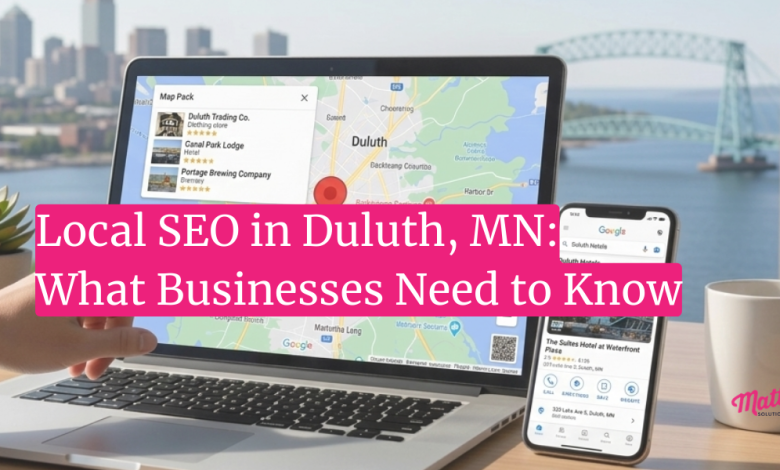
If your Duluth business isn’t showing up on Google Maps, that’s not bad luck. It usually comes down to a few local SEO signals that haven’t been set up correctly yet, and most of them are fixable.
The thing is, a lot of business owners don’t realize that your Google Business Profile, your website, and your online reviews don’t work independently. They work as a system. When one piece is missing or inconsistent, the whole thing underperforms. And while that sounds frustrating, it also means there’s a clear path forward.
We’re Matter Solutions, and we’ve worked with local businesses across Minnesota on exactly this kind of problem. If this sounds like you, keep reading. This article breaks down how local search actually works and what Duluth businesses need to do to show up where their customers are already looking.
Why Duluth Businesses Struggle to Show Up on Google Maps
The most common reason local businesses don’t appear in map results comes down to incomplete profiles, inconsistent business information, and not knowing what Google is actually looking for. And honestly, it’s more common than most people think.
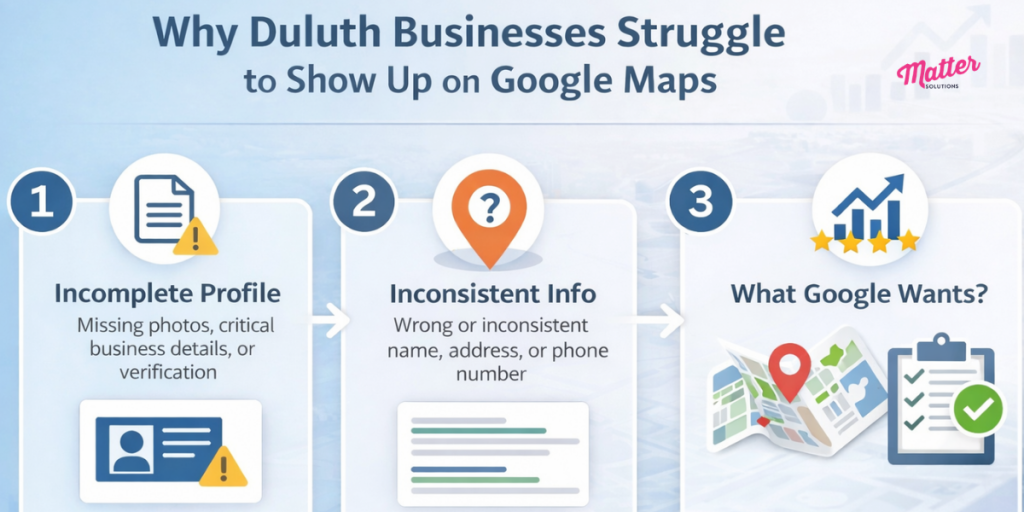
You might be wondering why your competitor is showing up in the Map Pack when their business looks no different from yours. The answer is usually pretty simple. They’ve completed the basic optimization steps that most business owners haven’t gotten around to yet.
Take a Duluth HVAC company, for example. If their Google Business Profile is missing service details, has no photos, and hasn’t been verified, Google has very little to work with. So it shows a competitor instead (even if that competitor is further away or has fewer reviews). That’s how much an incomplete Google Business Profile can cost you.
Without a consistent business name, address, and phone number across online directories, Google loses confidence in your listing. Most people don’t realize that small mismatches, like “Ave” versus “Avenue” or an old phone number still sitting on Yelp, are enough to drag your local search rankings down. Sometimes, these details might feel minor, but to Google, they signal that your business information isn’t reliable.
The good news is that none of this is complicated to fix. Once you know what Google is looking for, the path to better map visibility becomes a lot clearer.
What Actually Controls Your Local Search Rankings
Three things control your local search rankings: your Google Business Profile, your reviews, and your website. Google weighs all three when deciding which businesses show up in the Map Pack.
And when someone searches for a local business on Google, the top three map results get around 44% of all the clicks on that page. That’s nearly half of all potential customers choosing before they ever scroll down. Let’s break down each area.
Your Google Business Profile Does Most of the Heavy Lifting
Your Google Business Profile is the single most important asset in your local SEO strategy. Whitespark’s Local Search Ranking Factors survey found that GBP signals are the top driver of map pack rankings, outweighing reviews, links, and on-page website content combined.
An incomplete profile tells Google your listing isn’t worth prioritizing. Missing business hours, no photos, a vague description, these gaps add up fast. Google needs clear, complete information to confidently match your business to nearby searches. When that information is missing, it moves on to a competitor whose profile fills in the blanks.
Drawing from our experience working with local businesses across Minnesota, the ones that actively manage their profiles with fresh photos, regular posts, and accurate details consistently outrank those that haven’t touched theirs in months (sometimes by a significant margin, even when the inactive business has more reviews).
Reviews, Citations, and Your Website All Work Together
Reviews carry real ranking weight. According to Whitespark, review signals make up around 16% of local pack rankings. And Google pays attention to both how many reviews you have and how consistently new ones are coming in. A steady flow of genuine reviews tells Google your business is active and worth showing to local customers.
Citations work alongside reviews. A citation is any mention of your business name, address, and phone number across online directories and local listings. They key to success here is consistency. Even small mismatches across platforms can chip away at your local search rankings over time.
And then there’s your website. A lot of business owners treat their website and local SEO as two separate things, but they’re not. Your website reinforces everything in your Google Business Profile, so a slow, outdated, or poorly structured site pulls your local rankings down with it. That connection is what we’ll cover next.
How Local SEO in Duluth MN Works on the Ground
The best part about building a local SEO strategy the right way is that the results compound. The work you put in today keeps paying off months down the road. And for Duluth businesses specifically, there’s a real opportunity here. A lot of local competitors haven’t gotten the basics right yet.
Here’s what a solid local SEO strategy actually looks like in practice.
Localized Content Builds Authority Over Time
Publishing content around Duluth-specific topics signals to Google that your business is genuinely part of the local area. Adding the word “Duluth” to your homepage is a start, but creating pages and posts that speak directly to what your local customers are already searching for is what actually moves the needle.
Think about it this way. A Duluth HVAC company that publishes a blog post about preparing your heating system for a Minnesota winter is doing two things at once. It’s answering a real question that local homeowners are already searching for, and it’s telling Google that this business knows the Duluth market. That kind of content marketing builds trust with both search engines and potential customers over time.
Every new page Google indexes from your site adds to your local relevance. And that adds up faster than most business owners expect (we’ve seen local businesses move up significantly in search results simply from publishing consistent, location-specific content over a few months).
Your Website’s Performance Affects Map Pack Rankings
You might be wondering what your website has to do with your Google Maps ranking. The answer is quite a lot. According to Coalition Technologies, 63% of Google’s organic search traffic in the US comes from mobile devices.
So if your site loads slowly or doesn’t display properly on a phone, you’re losing potential customers before they even read a single word.
Google evaluates page speed, mobile usability, and site structure as part of its local ranking signals. A poorly built site doesn’t just frustrate visitors. It actively works against your map pack visibility.
A well-built WordPress website with SEO built in from the start gives your local presence a much stronger technical foundation. It’s a lot easier to build it right the first time than to patch problems later. Matter Solutions handles both the web development and the local SEO side together, so nothing falls through the gaps.
What to Look for in a Duluth SEO Company
Look for a Duluth SEO company that shows clear reporting, explains what they’re doing and why, and has hands-on experience across Google Business Profile management, content strategy, technical SEO, and website optimization. When those pieces work as a system, that’s when local businesses start showing up where their customers are looking.
If you’ve been burned by an SEO agency before, we hear this a lot. Promises of page-one rankings in 30 days, vague monthly reports, and no real explanation of what’s being done. Real local SEO doesn’t work that way.
Good SEO partners give you clear reporting on keyword rankings, local search traffic, and what’s changing month to month. The businesses that see the best results are the ones that work with an agency that treats them like a partner, not just another account on a spreadsheet (and yes, there’s a big difference).
Be cautious of anyone promising fast results. Local SEO builds steadily, and the results tend to last a lot longer than any quick fix. That’s the kind of work Matter Solutions does. If you’re ready to build real, lasting visibility in local search results, we’d love to talk.
Start Showing Up Where Duluth Customers Are Looking
Local SEO in Duluth MN is not complicated, but it does require consistency and the right setup. The businesses sitting at the top of Google Maps did not get lucky. They simply covered the right fundamentals and kept at it.
Matter Solutions works with local businesses across Minnesota to build lasting visibility through local SEO, content marketing, and web development built for search. If you’re ready to get started, reach out to our team today.